
Have you ever reviewed “proof” from a tiny body camera and still walked away unsure, because the voices were muffled, the scene was too dark, or the recording stopped halfway through the interaction?
If you are shopping for the best mini body camera with audio, you are not doing it as a hobby. You want a compact device that can capture what happened, what was said, and when it happened, without drama in setup, recording, or file handling.
Small devices can be deceptively tricky. A camera can look great in product photos and still fail in the moments that matter, like when the room is noisy, the lighting is poor, or the person speaking is a step away from the mic. This guide breaks down what makes a mini body camera actually work in real conditions, so you choose something your team can rely on.
TL;DR
- A mini body camera only works if your team will actually wear it all day, without adjusting it or leaving it behind.
- Audio matters more than specs. Test speech clarity in real noise, with head turns, and during movement.
- Low-light video should help you recognize faces and understand what happened, not just prove “it recorded.”
- Mount stability + full-shift battery prevent the two most common failures: shaky footage and mid-shift cutoffs.
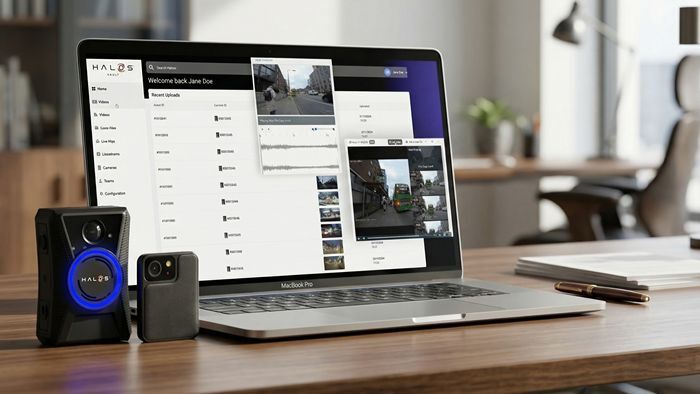
- Footage value depends on what happens after recording, including secure storage, quick search, controlled access, and retention.
Why does “Mini Body Camera with Audio” matter more than you think?
The smallest body camera is not just about comfort. Size changes how people wear it, how stable the footage looks, and how clearly voices come through.
When a camera is bulky or awkward, staff stop using it consistently. They forget to clip it on, they adjust it mid-interaction, or they point it the wrong way. A mini body camera reduces friction, and that is what drives adoption. But only if the camera is designed to stay secure, record reliably, and capture usable audio.
Audio quality is the deal-breaker for most mini cameras
If your main need is documentation, audio is often more important than ultra-high resolution video.
A small body camera with audio should handle three common real-world problems:
1) Background noise
Retail floors, lobbies, sites with equipment, traffic noise, even fans in a small office can drown out voices. A good device does not need magic noise removal, but it should keep speech understandable.
2) Distance from the speaker
Mini cameras are clipped on the body, not held in front of the person speaking. That means voices may be off-axis or farther away. Clear audio comes from good mic design and practical placement, not marketing terms.
3) Wind and movement
Outdoor interactions expose weak microphones quickly. If the camera is meant for outdoor use, you want wind handling that keeps the conversation intact.
Practical Tip: Do not test it only in a quiet room. Try it in noise, turn your head while speaking, and reply on a laptop. If words are unclear in the test, they will be worse in a real incident.
Video that works in real lighting, not ideal lighting
Mini cameras are often used in mixed environments, like indoor corridors, low-lit parking areas, nighttime entrances, or bright daylight outside.
Here is what to look for:
Low-light clarity
You do not need cinema quality. You need to recognize faces and see what is happening without grain taking over.
Wide enough field of view
A narrow view misses' context. Too wide can distort detail. The best choice is a field of view that captures what the wearer is facing without turning everything into a fisheye blur.
Stabilization and mounting
A camera can have great specs and still produce shaky footage if the clip is weak or the device bounces while walking. This is where “smallest” is not automatically “best.” The camera has to sit stable on the body.
Comfort and Mounting Decide Whether People Will Wear
A mini camera should disappear into the workflow. If it pulls in a pocket, keeps slipping, or irritates the wearer, it will end up in a drawer.
Look for:
- A strong clip that holds on different clothing types
- Options for magnet mount or alternative mounts if uniforms vary
- A design that does not rotate easily once clipped
Also think about placement. Chest mounting usually captures the best mix of view and audio because it stays aligned with where the person is facing and keeps the mic closer to speech.
Battery and storage must match real shifts
Many mini cameras fail in a predictable way: they do not last long enough, or storage fills up mid-shift.
Ask these questions before you buy:
- Can it run for a full shift without anxiety?
- Does it warn you clearly when battery is low or storage is close to full?
- Is it easy to offload footage without staff wasting time?
If your team works long shifts, prioritize full-shift battery over extra features you will not use.
One-button recording and clear status indicators matter
In tense moments, nobody wants to navigate menus. A mini body camera should be simple:
- A clear start/stop control that can be used quickly
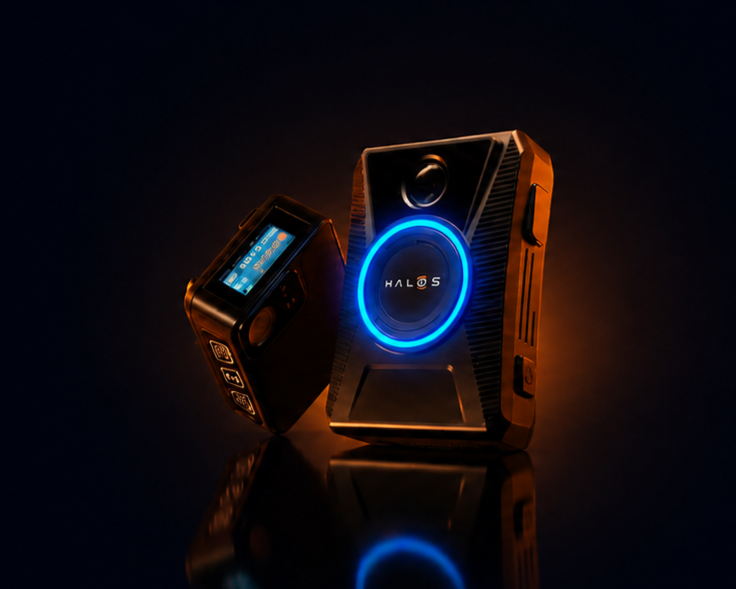
- A visible or tactile indicator that confirms recording
- A design that avoids accidental stops
You also want clear status feedback, so staff do not assume it is recording when it is not.
Pro tip: Pick a mini camera your team can clip on securely, record with one button, and run all shift without storage or battery surprises.
Secure File Handling: What Happens After the Recording
Footage is only useful if you can store it safely, find it when needed, and control access.
Even for a small deployment, ask:
- How are files named and organized?
- Can you quickly locate a clip by date/time or device?
- Can you control who can view, download, or share footage?
- Can you set retention rules so old files do not create risk?
If you are using body cameras for customer disputes, incident documentation, or safety events, evidence management becomes part of the buying decision, not an afterthought.
Real-world use cases where mini body cameras shine
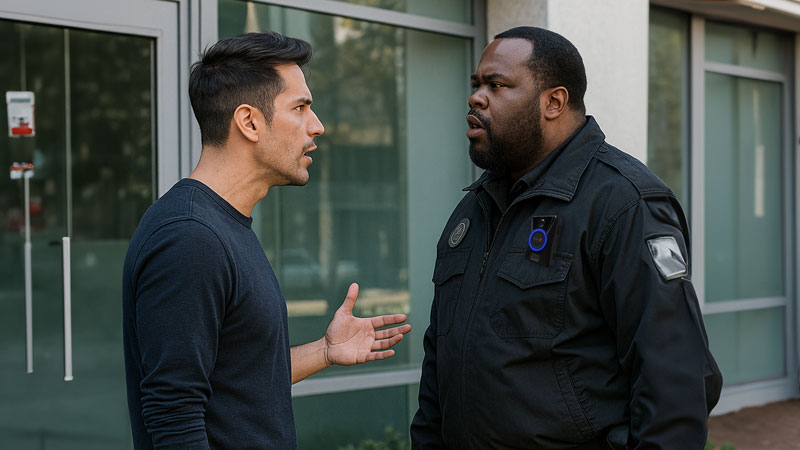
A compact body camera is especially valuable when staff need documentation without making their role feel like enforcement.
Common examples:
| Team / Role | Where it helps most | Why it matters |
|---|---|---|
| Front-desk and lobby teams | Escalated customer interactions | Protects staff and reduces “he said, she said” disputes |
| Security teams and patrol staff | Daily patrols and incident response | Easy to wear continuously, improving documentation consistency |
| Field service and delivery | Arrivals, handoffs, on-site issues | Captures conditions and context without slowing the job |
| Healthcare support and facilities teams | Non-clinical incidents and safety concerns | Documents aggressive or unsafe situations while staying unobtrusive |
A quick buying checklist for the best mini body camera with audio
If you want a clean shortlist fast, use this checklist:
- Clear speech capture in noise and at short distance
- Low-light video that shows faces and context
- Stable mount that stays in place during movement
- Full-shift battery and practical storage
- One-button recording and clear recording status
- Simple, secure file transfer and organized storage
- Access control and retention options if footage is sensitive
Choose What Your Team Will Actually Use
The best mini body camera with audio is not the one with the longest spec sheet. It is the one your team wears all day, records without hesitation, and produces footage you can trust when something goes wrong.
If you are evaluating options and want to see what a real deployment looks like, focus on audio tests, mounting stability, and how footage is managed after capturing. That is where real-world performance shows up fast.
See how HALOS performs in real working conditions, not ideal ones.
Get a guided walkthrough of recording, playback, and everyday handling, so your team knows exactly what the workflow looks like.
Frequently Asked Questions
How do I quickly test audio quality before buying?
Record in real noise, turn your head while speaking, then replay on a laptop. If the words are unclear, it does not fit.
How much battery life do I actually need?
Enough for your longest shift plus buffer. If your team works 10–12 hours, aim for full-shift coverage.
Where should a mini body camera be worn?
Chest-mounted is usually best for both audio and viewpoint, as long as the clip stays stable.
What matters most after recording?
Fast clip search, controlled access, secure sharing, and retention rules so footage stays organized and protected.